How to Open Your Account
In a few steps from registration to an active live account — directly with the ASIC-regulated broker TMGM.
Account Creation & Funding
First open your personal live trading account via our partner link and deposit your trading capital. Linking signals is technically impossible without an active, funded MT5 account.
Scan the QR code & register

Scan the adjacent QR code with your smartphone or use the registration link. You will be taken straight to TMGM registration. Create your personal account there and confirm your email address to sign in.
 QR-Code Scan
Scannen Sie den Code mit Ihrer Kamera-App, um direkt zur Registrierungsmaske bei TMGM zu gelangen.
Go to TMGMOpen a new live account
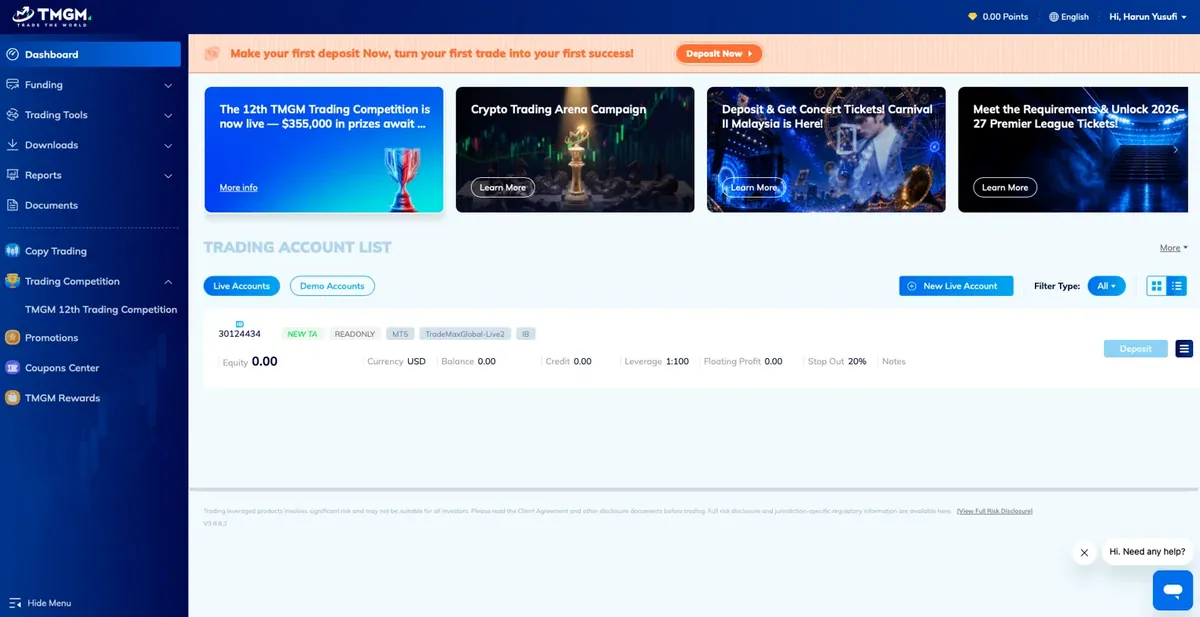
In the dashboard, click „Trading Account List“ and then „New Live Account“ to open a real trading account.
Configure the account
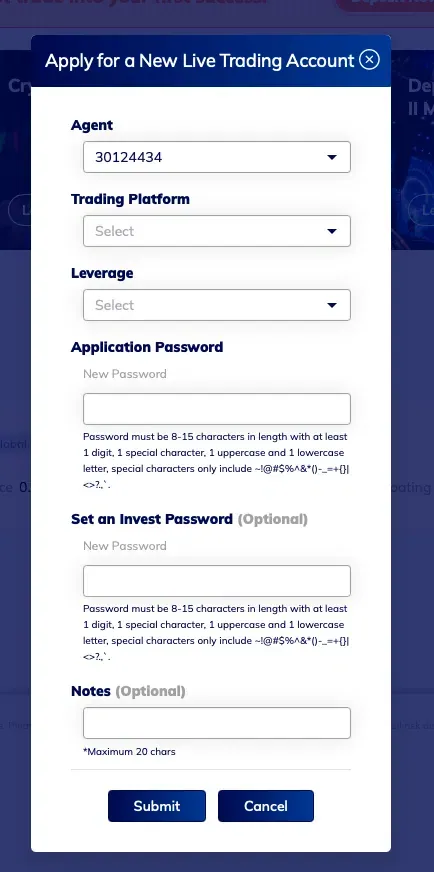
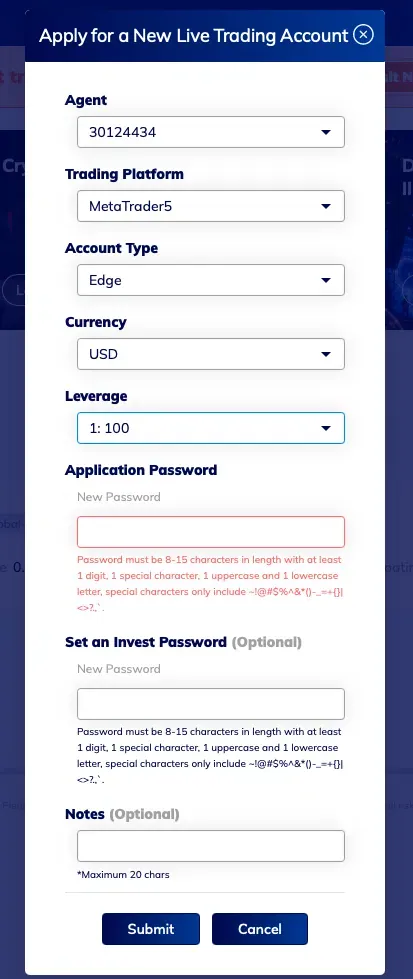
So your account can be linked correctly to the Stonebridge strategy, enter exactly the following settings in the form „Apply for a New Live Trading Account“:
Apply for a New Live Trading Account

Fund the account
Final step: make a deposit, then we link your account to the strategy.
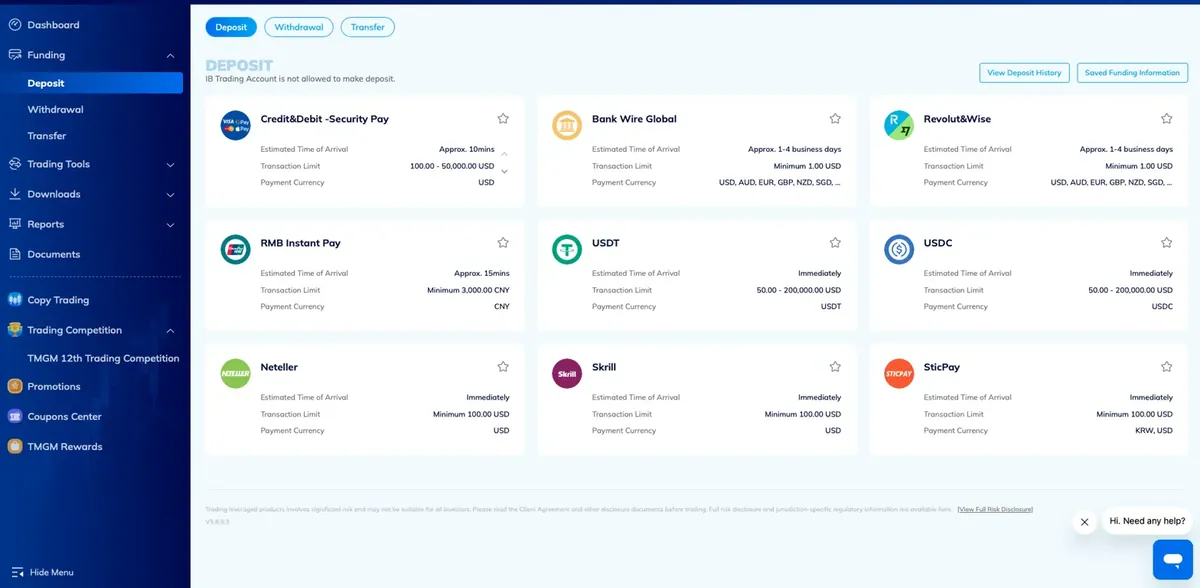
Go to „Funding“ → „Deposit“ in the menu and choose one of the available payment methods (e.g. credit card, bank transfer, USDT/USDC). The minimum deposit is USD 1'000 (recommended: USD 10'000 for adequate position sizing). Once the amount is booked, we link your account to the Stonebridge strategy via HUBx.
Requirement fulfilled: Your MT5 account is open and funded with at least USD 1,000. Proceed to Phase 2.
Signal Linkage & 1:1 Replication
Now link your existing, funded MT5 account to the Stonebridge strategy for fully automated 1:1 replication.
Follow STONEBRIDGE
Open the following link or use the QR code to subscribe to STONEBRIDGE as a strategy provider in your TMGM copy-trading area:
Confirm the link with your live account and set the copy ratio to 1:1, so trades are mirrored in the same proportion as STONEBRIDGE itself.
* The copy ratio can be adjusted at any time in the provider settings. The link can also be paused or closed independently at any time.
TMGM HUBx 1:1 Link

Stonebridge Capital Institutional Guide (EN)
The complete step-by-step guide with all forms and specifications as a print-ready PDF.